
Scratch, the work horse of computer science within primary schools. We cannot stress how important it is that your school has a Scratch Educator Account, all staff have had 1 CPD per year (we recommend Spring Term) to prepare for the delivery of our CS units normally found in Summer Term.
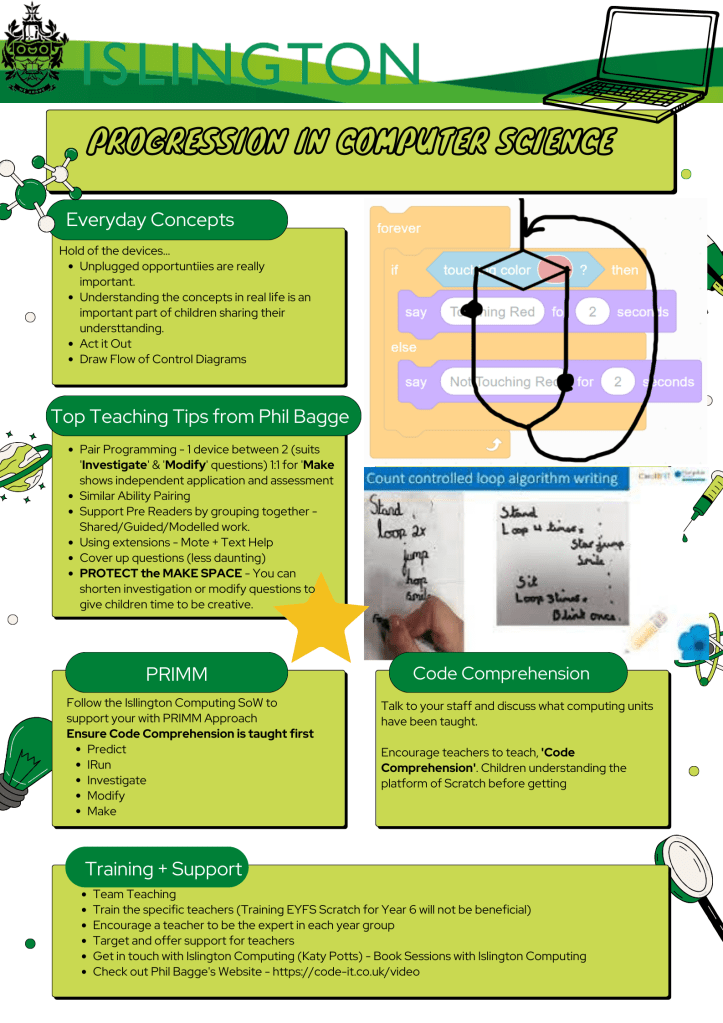
Selected Resources for Supporting Scratch in your school
Computing Curriculum – 2022/23 Training focus on T/L Computer Science, Scratch with Phil Bagge based on PRIMM Predict-Run-Investigate-Modify-Make
Core Computing Concepts explained by Phil Bagge – http://code-it.co.uk/video
–Refresh SoW with teachers if needed– Teacher Pack here (including Common Sense Media characters for display, Scheme overview and Islington Digital Charter)
-Refresh PRIMM via Phil’s brilliant units http://code-it.co.uk/video
-Explore and Share the Infographic (shared in teacher pack above group already) to help leaders disseminate including links to Phil’s brilliant videos.
Scratch Video Tutorials – Scratch Basic Skills
Scratch Glossary of terms: – Scratch Wiki – Basic Skills
*Key Action is the school needs an educator scratch account, ideally online Scratch 3 to work online.
TOP TIPS to create a Scratch Educator account This account enables you to create classes and individual accounts.
For more information about creating pupil accounts see the FAQ section here
Setting up an Educator Account: – Scratch Teachers Account set up to create Pupil school accounts (we recommend you set a teacher account which then enables pupil accounts to be created under some supervision of the teacher account) Guidance: – Teacher Account Walkthrough
Scratch (PRIMM CPD) – PRIMM Padlet
Safeguarding –
https://scratch.mit.edu/parents/
Scratch User Agreements – https://docs.google.com/document/d/1xN_h4IQpThgs_qm0BzqN_oKGzNNKWvuN/edit?tab=t.0
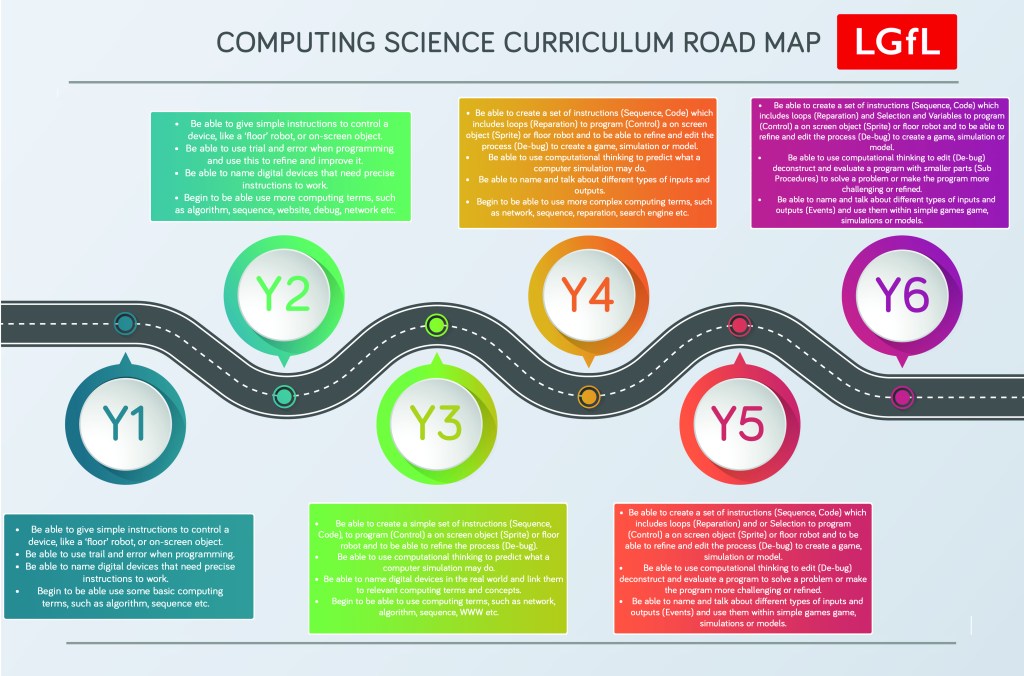
 Islington Computing